
A familiar situation: a company buys a top-end laptop or workstation with a powerful processor, good graphics and a large amount of RAM, but heavy tasks still run slowly. Most often, this becomes noticeable during video editing, 3D rendering, analytics of large data sets, or when trying to run local AI tools.
And the issue here is not weak hardware. The problem is the architecture itself. In a classic computer, the processor takes data from system memory (RAM), while the graphics card has its own video memory (VRAM). When an application processes gigabytes of information, the system has to constantly transfer data between the CPU and GPU. Because of this, time is lost, latency grows, and resources are used inefficiently.
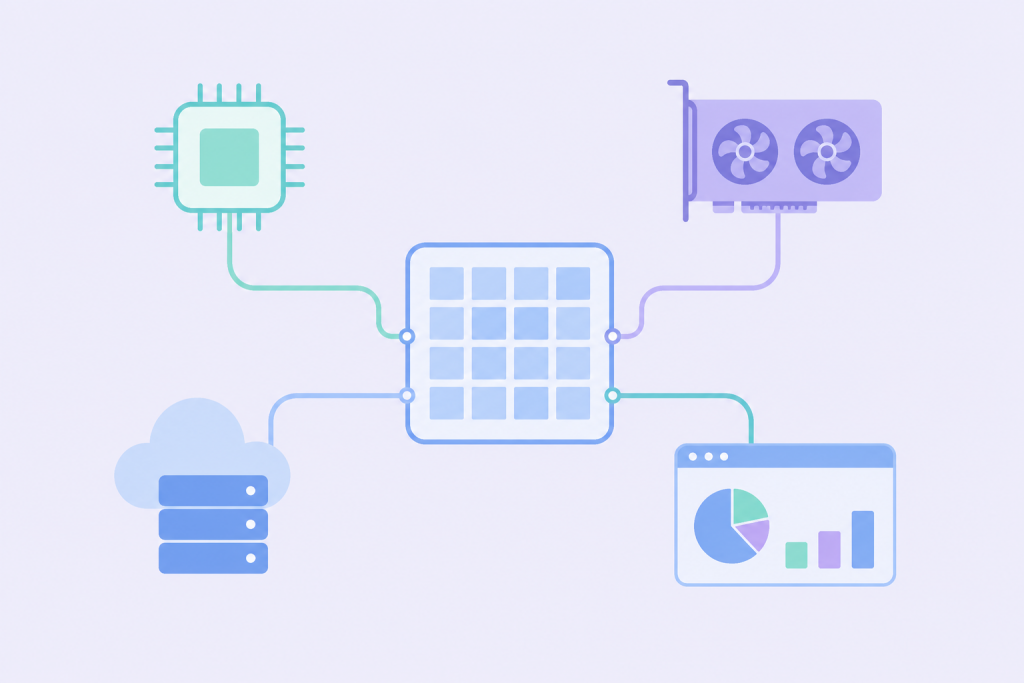
Unified Memory solves this radically. Instead of dividing memory into isolated zones, the processor, graphics and other compute blocks get access to one shared pool.
What Unified Memory Means in Simple Terms
To put it simply: the CPU, GPU and AI accelerators access a single data storage space. The system no longer needs to duplicate files from system memory to video memory and back.
Of course, this architecture does not work as a universal speed boost for everything. In ordinary office routine, the difference is barely noticeable. But where the processor and graphics card process the same data set in parallel, the performance gain becomes obvious – precisely because there are no copying delays.
The best-known example right now is Apple Silicon. MacBooks with M-series chips use this exact principle, which is why they process video or graphics efficiently even without a discrete graphics card. However, the idea itself has long moved beyond the Apple ecosystem and is becoming an important trend for the entire IT infrastructure.
Why People Started Talking About This Again After the NVIDIA and Microsoft Teaser
At the end of May, NVIDIA, Microsoft and ARM published a teaser about a new era of PCs with the coordinates of Taipei Music Center. It was there, at Computex 2026, that they revealed the details.
The industry giants presented a joint platform based on the NVIDIA RTX Spark ARM chip, which had previously appeared in leaks as N1X. This is a solution for personal computers with a powerful graphics core, AI blocks and support for a large amount of unified memory. The new Surface Laptop Ultra became the flagship device based on this platform.
For business, the interesting part here is not so much the specific laptop, but the direction of development. The market is turning toward devices that can perform complex AI tasks locally and process large files without constant dependence on the cloud.
How Unified Memory Affects AI Tasks
Local artificial intelligence needs a lot of memory. A model does not just need to be loaded – the system must keep context in memory, process intermediate data and store prompts. That is why it is not only the chip’s computing power that matters, but also how much memory is available for the task and how quickly it can be accessed.
A classic PC may have a powerful graphics processor, but if it has a limited amount of its own video memory, a large language model simply will not fit there. On systems with Unified Memory, a significant part of the shared pool can be allocated to an AI task.
This does not mean that companies no longer need servers. Training heavy neural networks and running high-load corporate services will remain on server infrastructure. But some processes — model testing, local AI assistants, analysis of confidential documents without the risk of leakage to the network – can now be moved to employees’ work devices.
What This Changes for Business Infrastructure
Workstations are becoming more autonomous. A designer opens large files faster, a developer deploys complex local environments without issues, and an analyst can process large databases directly on a laptop without sending requests to a remote server with every action.
However, a paradox appears: the more powerful client machines become, the higher the requirements for central infrastructure. If employees process critical data locally, the business has to control security, access rights, synchronization and backups more strictly.
That is why VPS and dedicated servers remain the foundation. They are necessary for databases, corporate systems, APIs, web resources and storage – everything that must work stably regardless of the state of a particular computer or workstation.
How Unified Memory Differs from Simply Having a Large Amount of RAM
There is an opinion that unified memory is just another name for a large amount of RAM. This is a mistake. You can install 64 GB of regular RAM in a computer, but if the graphics card is limited to its own 6 GB, 3D or AI software will still hit that limit.
Unified Memory removes these artificial barriers. Memory is distributed dynamically to where it is needed at a specific moment.
But the architecture should not be idealized. It has its own limitations: bus bandwidth, cooling nuances under long-term load, and software compatibility. When choosing equipment, a business should look not at the numbers in the specifications, but at how well its core software is adapted to the architecture.
How This Is Connected to VPS and Dedicated Servers
The connection between chip architecture in laptops and hosting is direct: the logic of workload distribution is changing.
A modern work scenario may look like this: the AI tool itself runs locally on a manager’s laptop thanks to unified memory, but it receives up-to-date data through an API from a corporate database on a VPS. The work results are also sent back to the server, where authorization, monitoring and logging take place.
For larger-scale tasks, such as financial analytics or processing large data sets, powerful dedicated servers with a large amount of RAM and fast disks are still needed. The heavy backend remains on the server side.
What Business Should Take Into Account
If a company is planning to update its fleet of devices for design, development or analytics departments, the Unified Memory architecture is worth considering. But it should be implemented systematically.
Before purchasing, it is important to check how corporate software behaves on new platforms. Whether it supports GPU acceleration in this mode, how it works under Windows on ARM or through emulators. Even a high-performance chip will be useless if the required application runs unstably.
The server team also gets more tasks: it is necessary to clearly separate which data and computations can remain on local devices, and which must be stored on VPS or dedicated servers so that the business does not lose control over security.
Unified Memory changes the approach to personal computer architecture. For business, it will not replace current infrastructure, but it will become an additional tool if local device power is properly balanced with the reliability of proven server solutions.