

Sometimes a small website runs normally on a basic VPS for years. Another project starts slowing down almost immediately, even though it still has relatively few visitors. The difference is usually not only in traffic. One website simply displays ready-made pages, while another constantly queries the database, updates the catalogue, performs searches, runs imports or processes files in the background. That is why choosing a VPS based only on the number of visits is not quite right. First, it is worth understanding what exactly will be running on the server and which operations will create the main load.
Which VPS specifications to look at first
When choosing a VPS, the processor, RAM, disk type and disk capacity matter. The number of cores affects how many requests and processes the server can handle at the same time. RAM is needed by the operating system, web server, database, control panel and the application itself. If there is not enough memory, the website may slow down even without the processor being fully loaded.
The disk type is selected according to the nature of the workload. For a regular website, an SSD is often enough. NVMe handles an active database, frequent searches, filtering and data writes better. For archives, media files and backups, available capacity matters more, so an HDD is appropriate here.
The operating system also depends on the software. Linux is suitable for most websites and web services, while Windows is needed for ASP.NET, Microsoft SQL Server, Windows applications and access through RDP. In practice, all these parameters need to be assessed together, so below we will look at several typical tasks and show which VPS plans from Server.UA may be a reasonable starting configuration for them.
Landing page, blog or corporate website
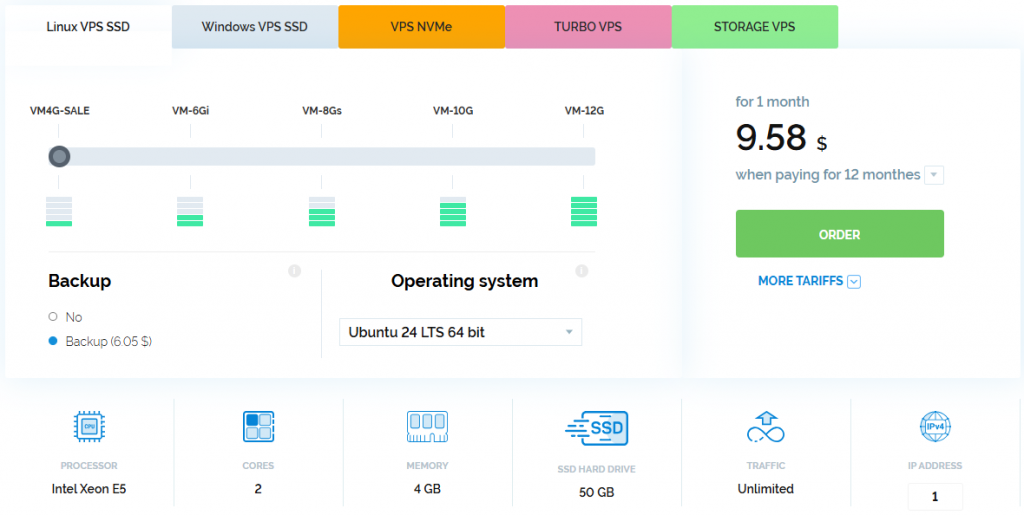
For a single WordPress website, a small blog, portfolio or corporate website, you can start with the VM4G-SALE plan. It has 2 cores, 4 GB of RAM and 50 GB of SSD storage. This is enough for the operating system, web server, database and a standard set of plugins.
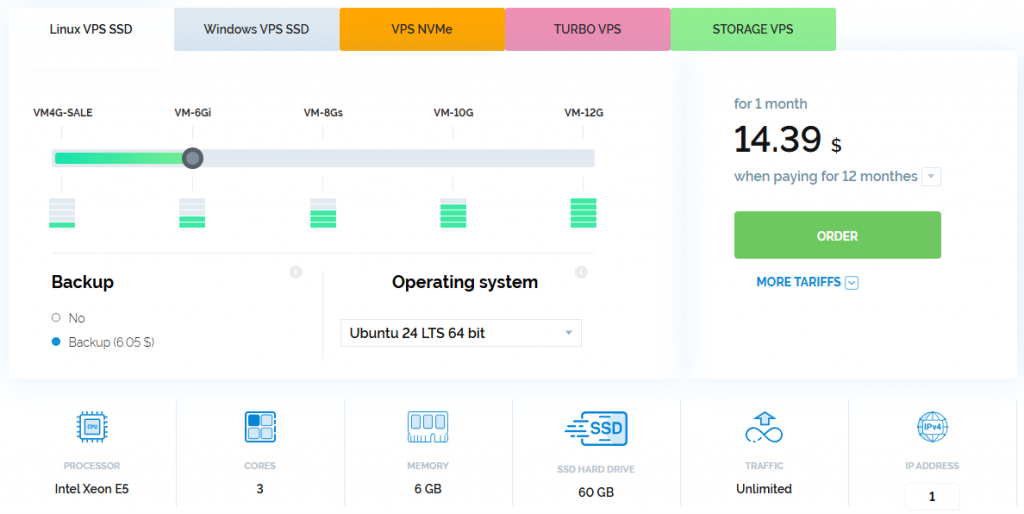
If several websites will run on one VPS, a control panel will be installed or the project uses resource-intensive plugins, it is better to choose VM-6Gi. It includes 3 cores, 6 GB of RAM and 60 GB of SSD storage. This headroom will help avoid noticeable slowdowns during updates, backup creation and other background operations.
Online store or large catalogue
WooCommerce, OpenCart and other online store systems actively work with the database. The catalogue, filters, shopping cart, stock levels, search and product imports create many read and write operations. For such a project, it is more appropriate to use NVMe.
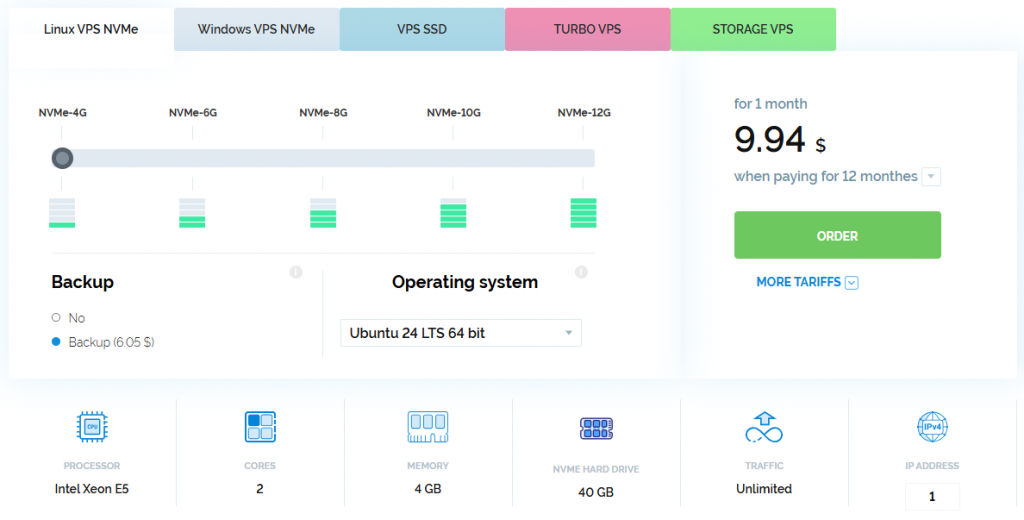
A new store without a large flow of orders can be launched on the NVMe-4G plan with 2 cores, 4 GB of RAM and 40 GB of NVMe storage.
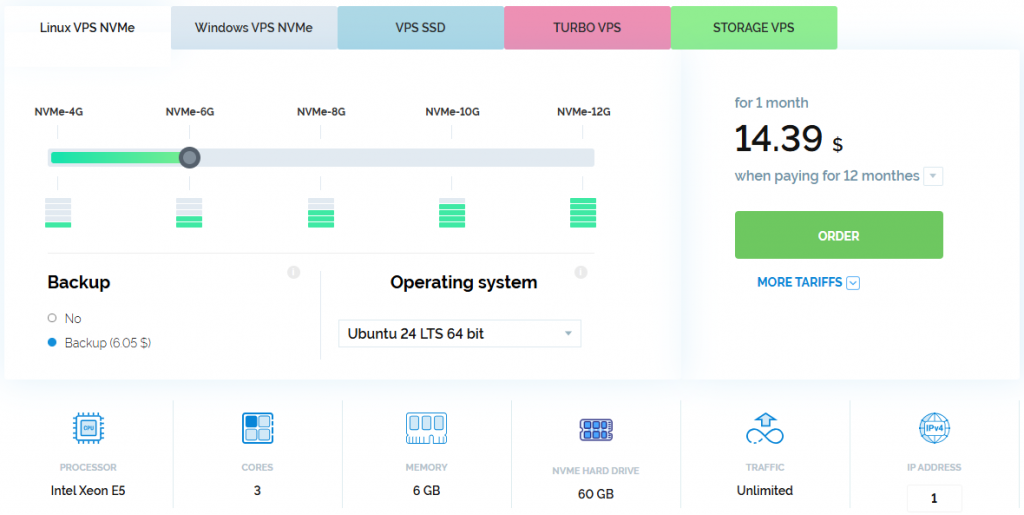
For a store with several thousand products, NVMe-6G will be a more practical starting point: 3 cores, 6 GB of RAM and 60 GB of NVMe storage. The second option leaves more resources for advertising traffic, CRM synchronisation, catalogue filtering and regular product imports.
If prices and stock levels are updated several times a day, and users actively use search and filters, 6 GB of RAM is better treated as the starting amount rather than headroom for several years.
SaaS, API or a service with background tasks
In SaaS, CRM, APIs and custom web applications, the load is often created by queues, workers, integrations, report generation and file processing. For such tasks, it is worth considering Turbo VPS plans with higher-performance processor resources and NVMe disks.
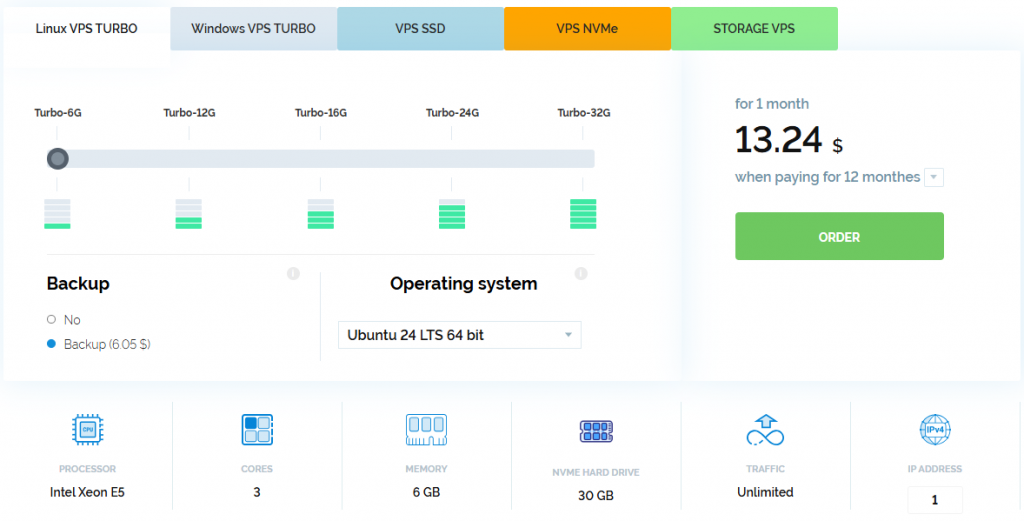
For the first working version of a service, Turbo-6G with 3 cores, 6 GB of RAM and 30 GB of NVMe storage will be suitable.
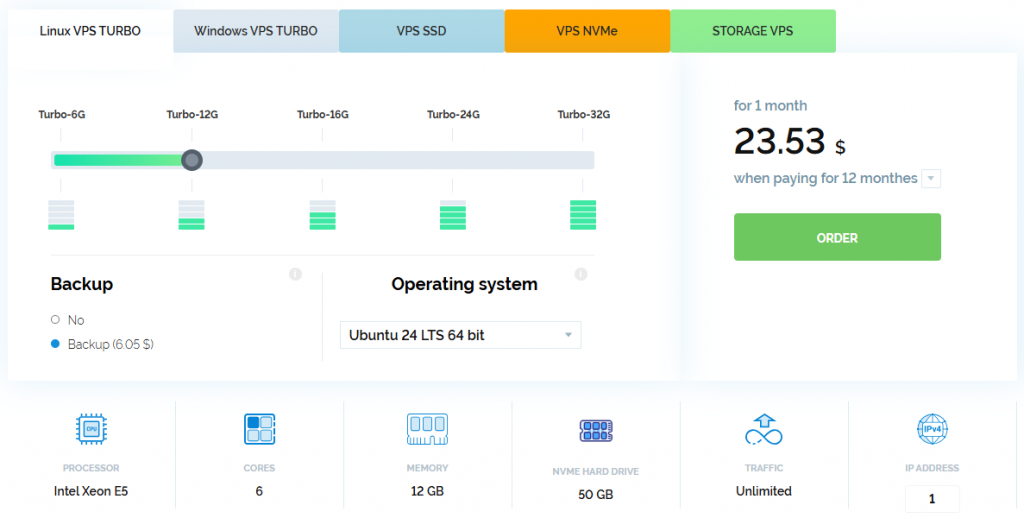
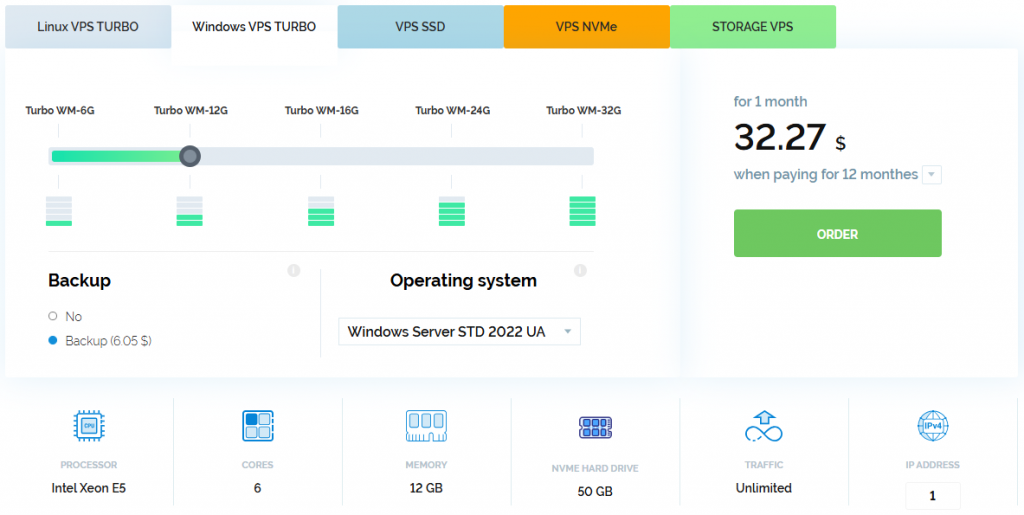
If the application runs in several containers, handles many parallel requests or regularly performs complex background tasks, it is better to choose Turbo-12G. This plan has 6 cores, 12 GB of RAM and 50 GB of NVMe storage.
Large user files are better stored separately in this case. This way, they will not take up the fast disk needed by the application and database.
Website or business application on Windows
A Windows VPS is worth choosing when the software itself requires it. This may be an ASP.NET website, an MSSQL database, a CRM system, accounting software or a working environment accessed through RDP.
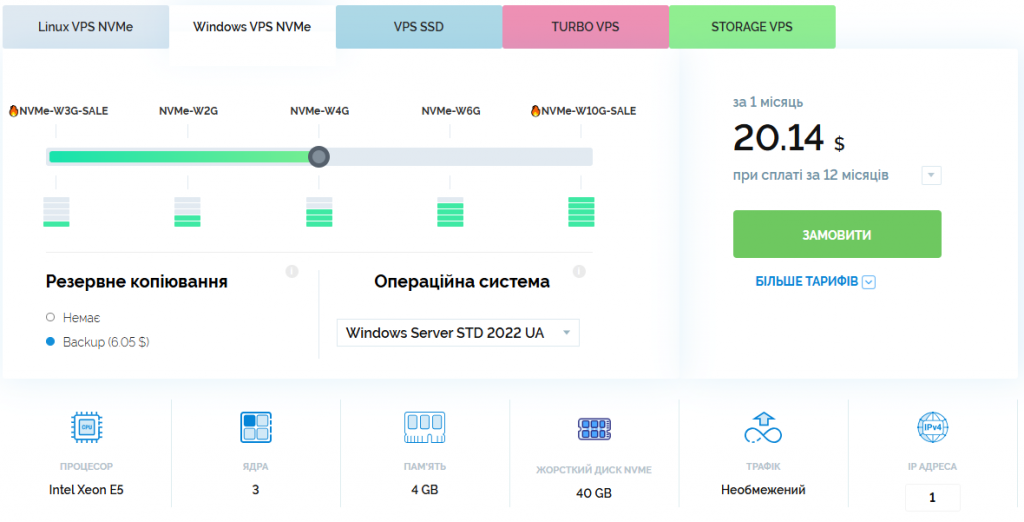
For a small ASP.NET project or a single working session, you can start with NVMe-W4G. The plan has 3 cores, 4 GB of RAM and 40 GB of NVMe storage.
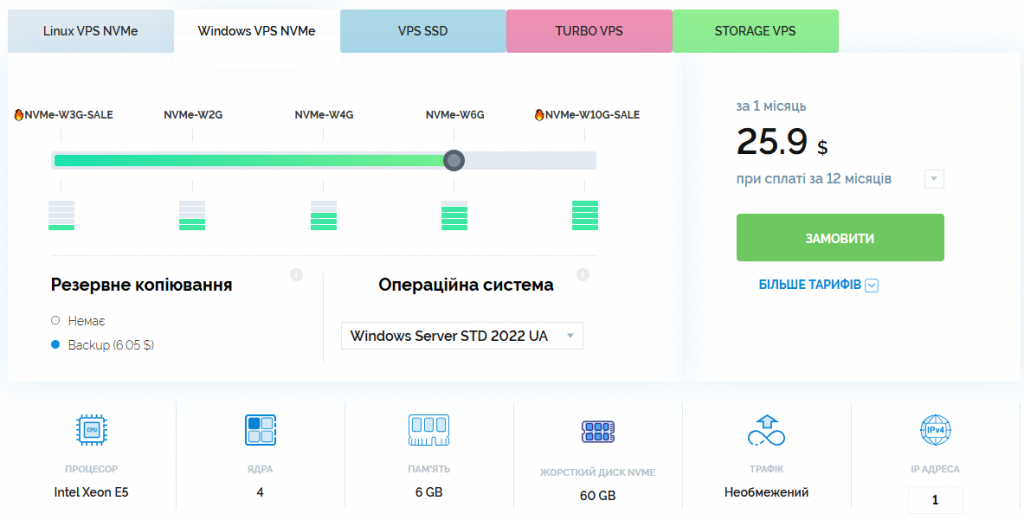
If the database, several users and background processes will run at the same time, NVMe-W6G with 4 cores, 6 GB of RAM and 60 GB of NVMe storage will be more practical.
For a Windows application that generates large reports, performs calculations or handles many parallel processes, Turbo WM-6G may be considered. It includes 3 cores, 6 GB of RAM and 30 GB of NVMe storage.
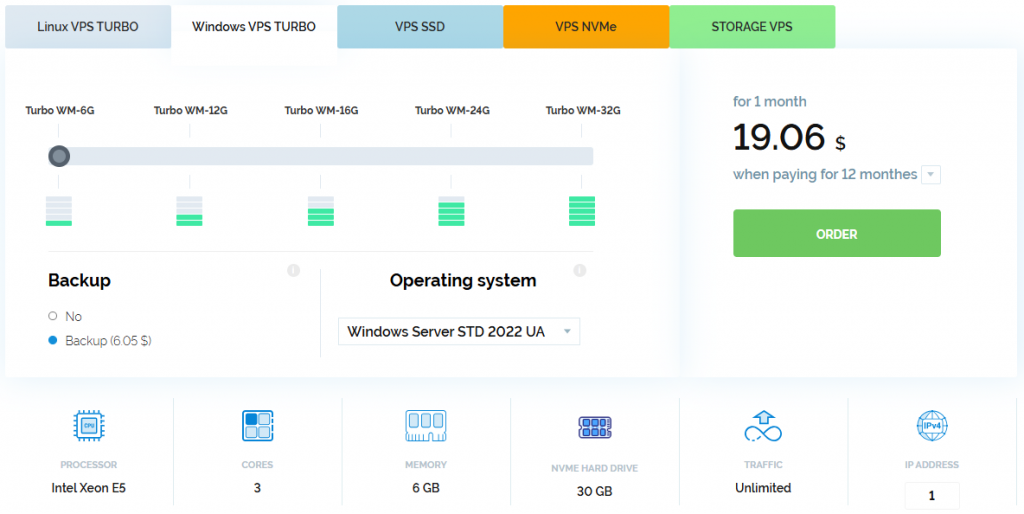
For a heavier workload, the next step would be Turbo WM-12G with 6 cores and 12 GB of RAM.
Archives, media files and backups
If the server’s main task is to store photos, videos, documents, archives or backups, disk capacity becomes more important than maximum NVMe speed. Storage VPS plans with HDD storage are designed for this.
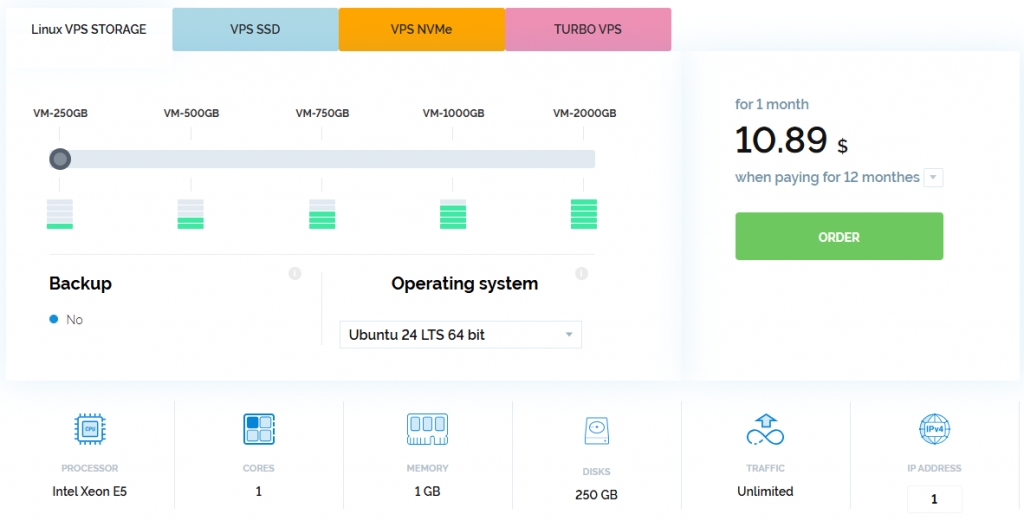
For separate storage or a backup server, you can start with VM-250GB. The plan has 1 core, 1 GB of RAM and 250 GB of disk space.
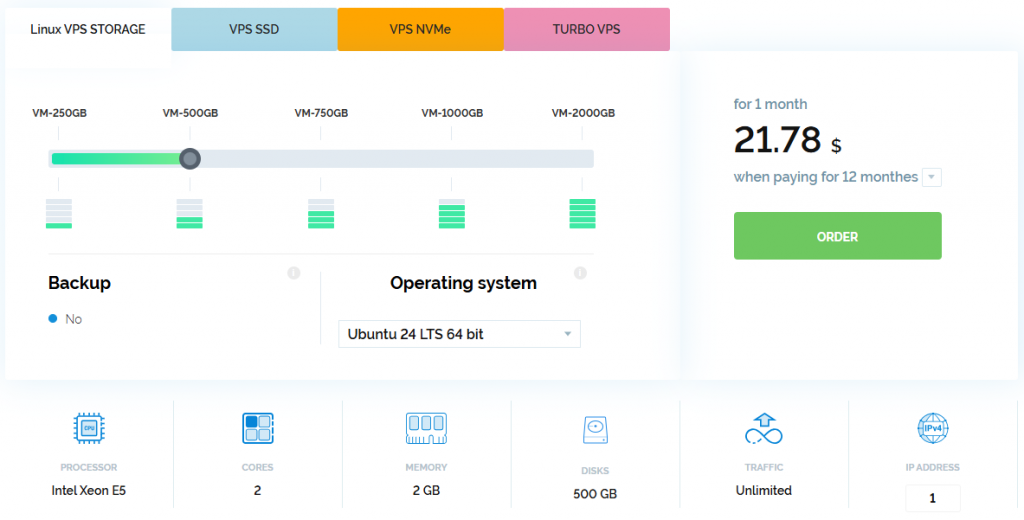
For Nextcloud, a file portal or an archive used by several users, VM-500GB with 2 cores, 2 GB of RAM and 500 GB of HDD storage will be more suitable.
It is better not to place the active database of an online store or online service on such a server. The website and database should remain on SSD or NVMe, while the Storage VPS should be used for large files and backups.
How to understand that the resources are no longer enough
It is better to assess the server based on its load during normal working hours rather than isolated spikes. If the processor remains at 70-80% load for a long time, RAM is almost exhausted, and the website slows down during imports, updates or backup creation, the configuration is already operating without sufficient headroom.
At the start, it is advisable to leave around 20-30% of resources free. They are needed for traffic peaks, background processes and the project’s further development. At the same time, there is no need to order the maximum configuration immediately. It is more practical to choose a plan for the current tasks, monitor the load and increase resources when this is supported by actual server performance indicators.